The app

Tune your car audio like a pro.

Flat Liner Tuning is a desktop app that walks you through dialing in an active car audio DSP system. It connects to Room EQ Wizard (REW), measures your system, and generates precise crossover, EQ, level, and time alignment settings, one guided step at a time.
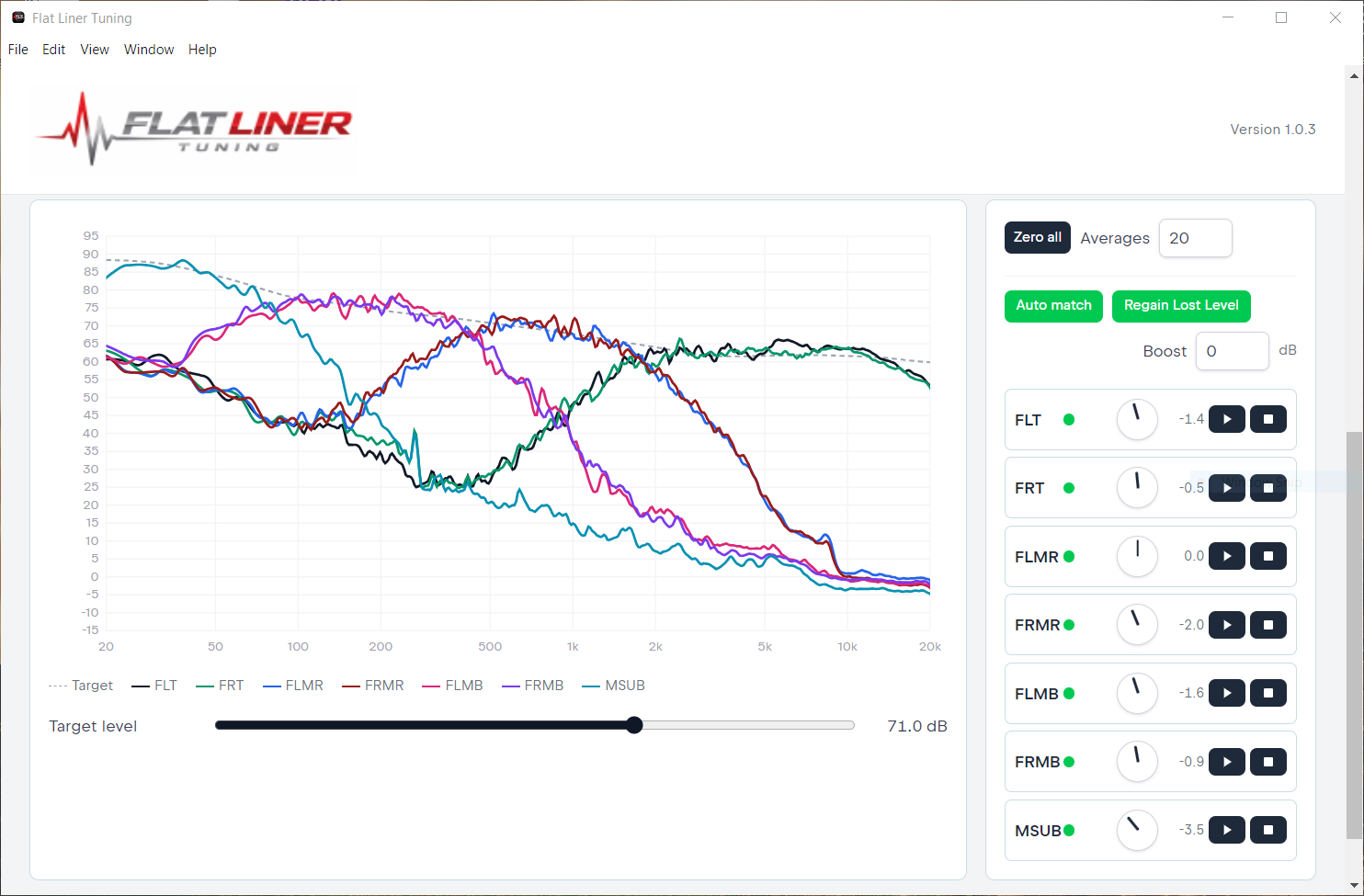
Flat Liner Tuning levels screen with per channel response curves and output controls

What it does

Everything you need to tune, in one place.

Works with REW

Talks directly to Room EQ Wizard's local API to capture measurements and apply changes. Supports Helix copy and paste EQ filters into DSP.

Guided walkthrough

Asks one thing at a time, confirms every major decision, and never assumes your system layout. Built for active systems, not guesswork.

Crossover setup

High pass, low pass, and band pass for two way, three way, rear fill, and subwoofer topologies, set to your chosen crossover points.

EQ to a target curve

Runs an RTA measurement, applies your target curve, and generates the EQ filters to match it.

Level matching

Normalizes front left/right, balances rear against front, and matches subwoofer level to the front stage.

Time alignment

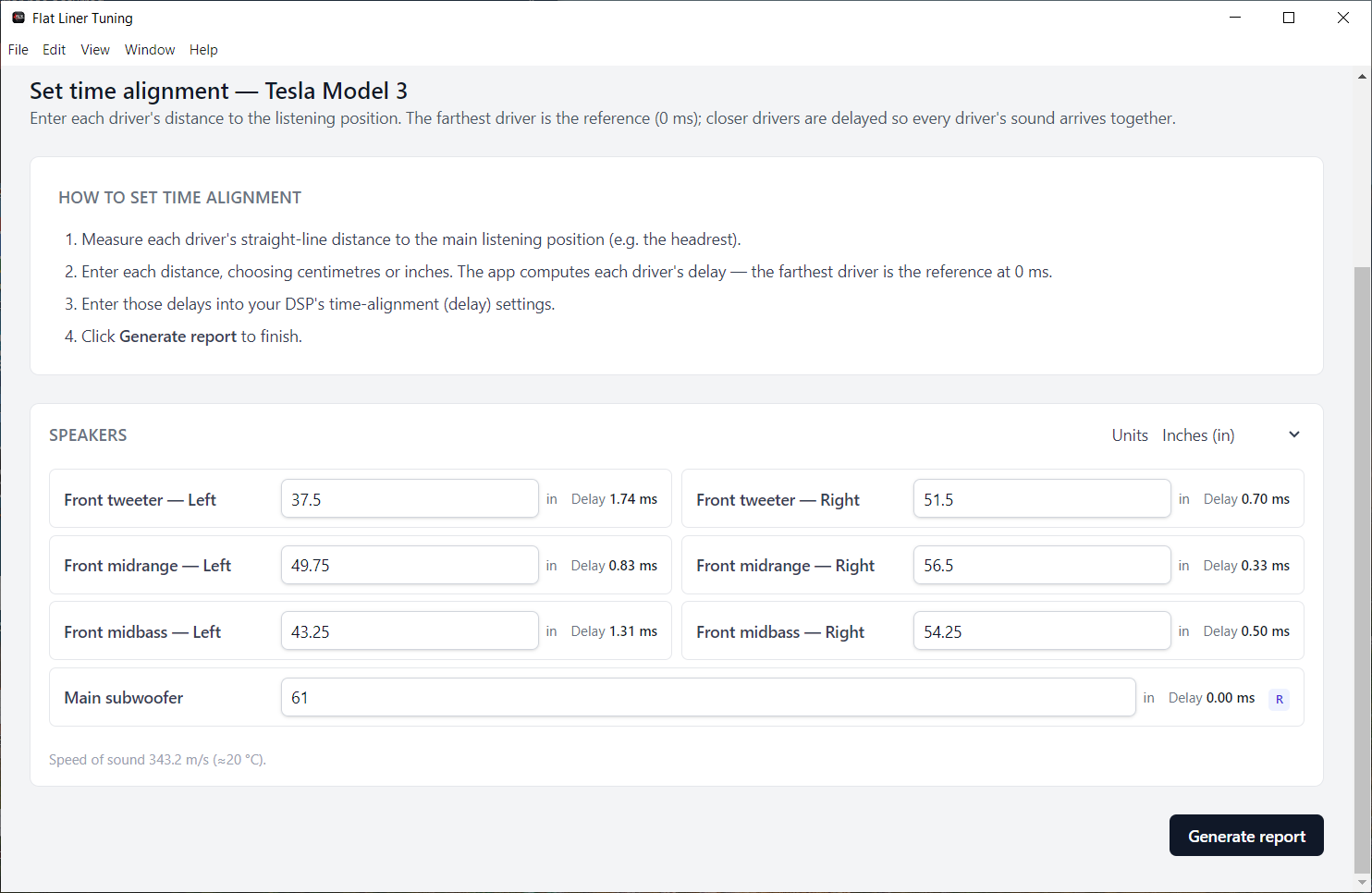
Calculates per channel delay from the physical distance of each speaker to your listening position.

Verification sweep

Runs a sweep after the tune and compares it against your target curve, then suggests adjustments where they're needed.

Runs on your machine

A self contained desktop app for Windows and macOS. Installs everything it needs, and keeps your data local. Nothing in the cloud.

How it works

From setup to verified tune.

  1. Describe your system

    Front stage, rear channels, subwoofer topology, DSP channel mapping, and speaker distances.

  2. Measure with REW

    Enable REW's API, load your mic calibration, and capture your system's response.

  3. Generate the tune

    Crossovers, EQ to your target curve, level matching, and time alignment, calculated for you.

  4. Push to your DSP

    Load the generated EQ straight into your Helix DSP.

  5. Verify

    Run a final sweep against the target curve and fine tune until it's right.

See it in action
A look inside the app.

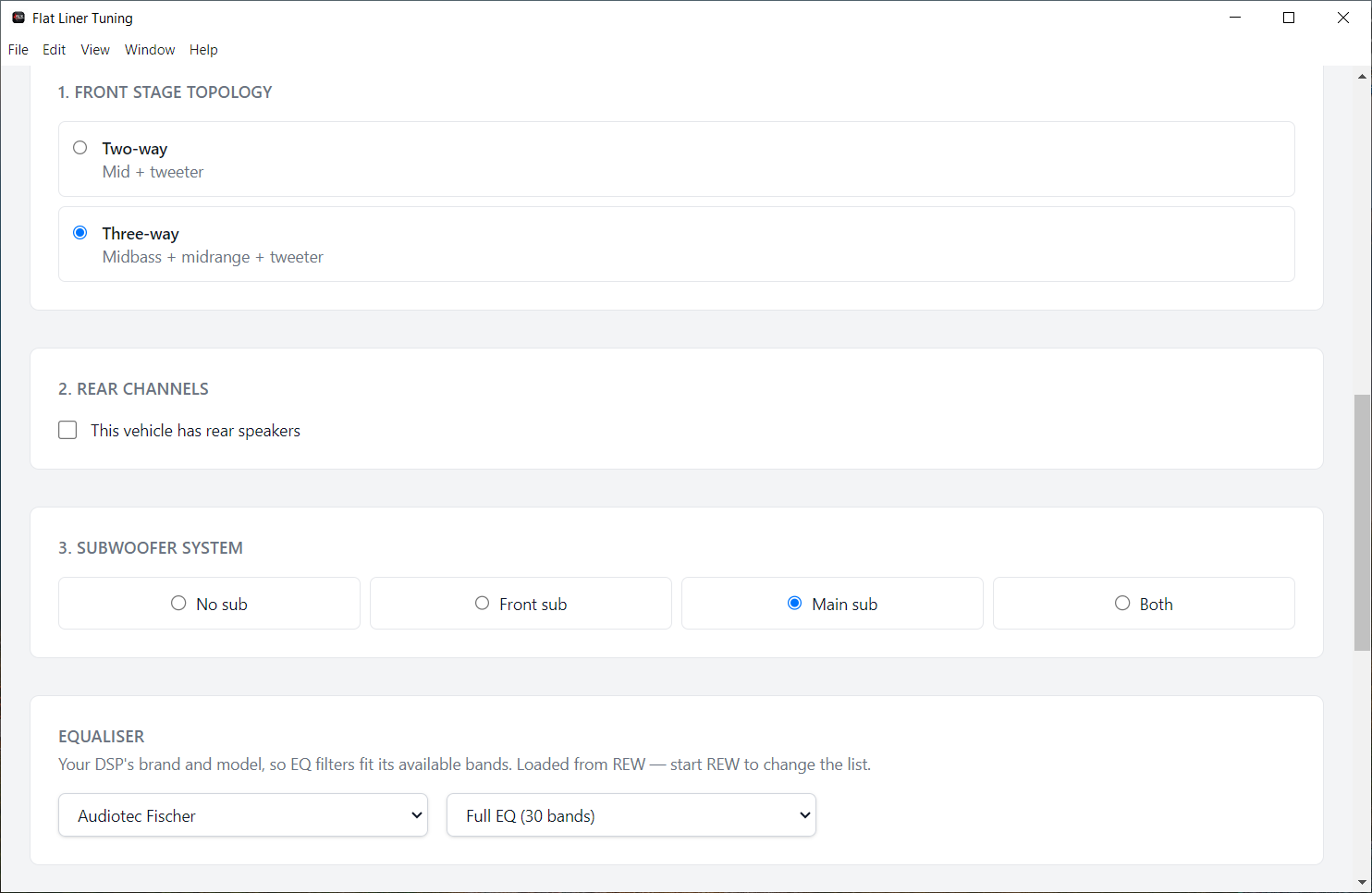
System setup screen with front stage topology, rear channels, subwoofer, and DSP selection
Describe your system: front stage topology, rear channels, subwoofer, and your DSP.
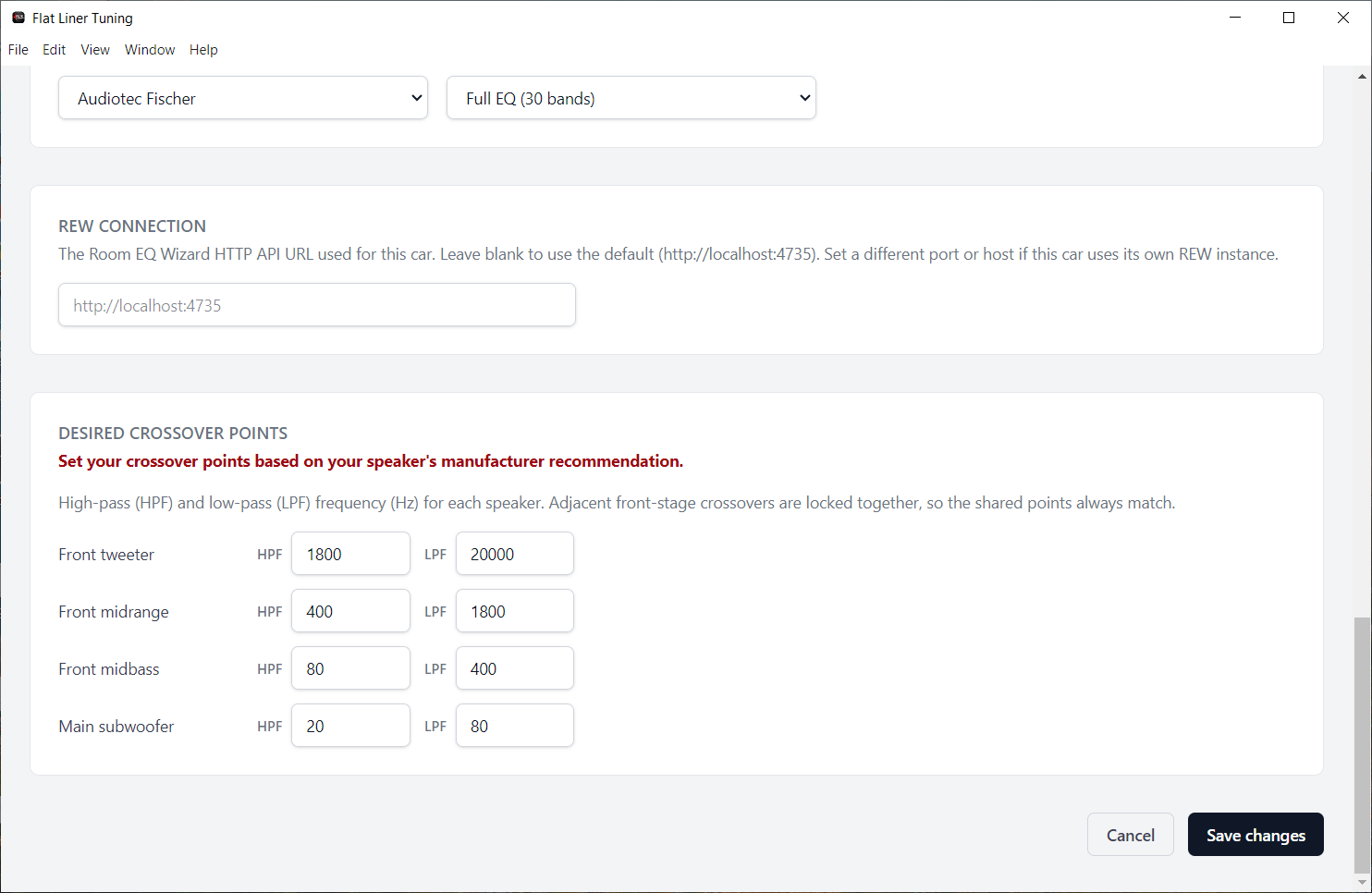
REW connection field and desired crossover points for each driver
Set the REW connection and crossover points for each driver.
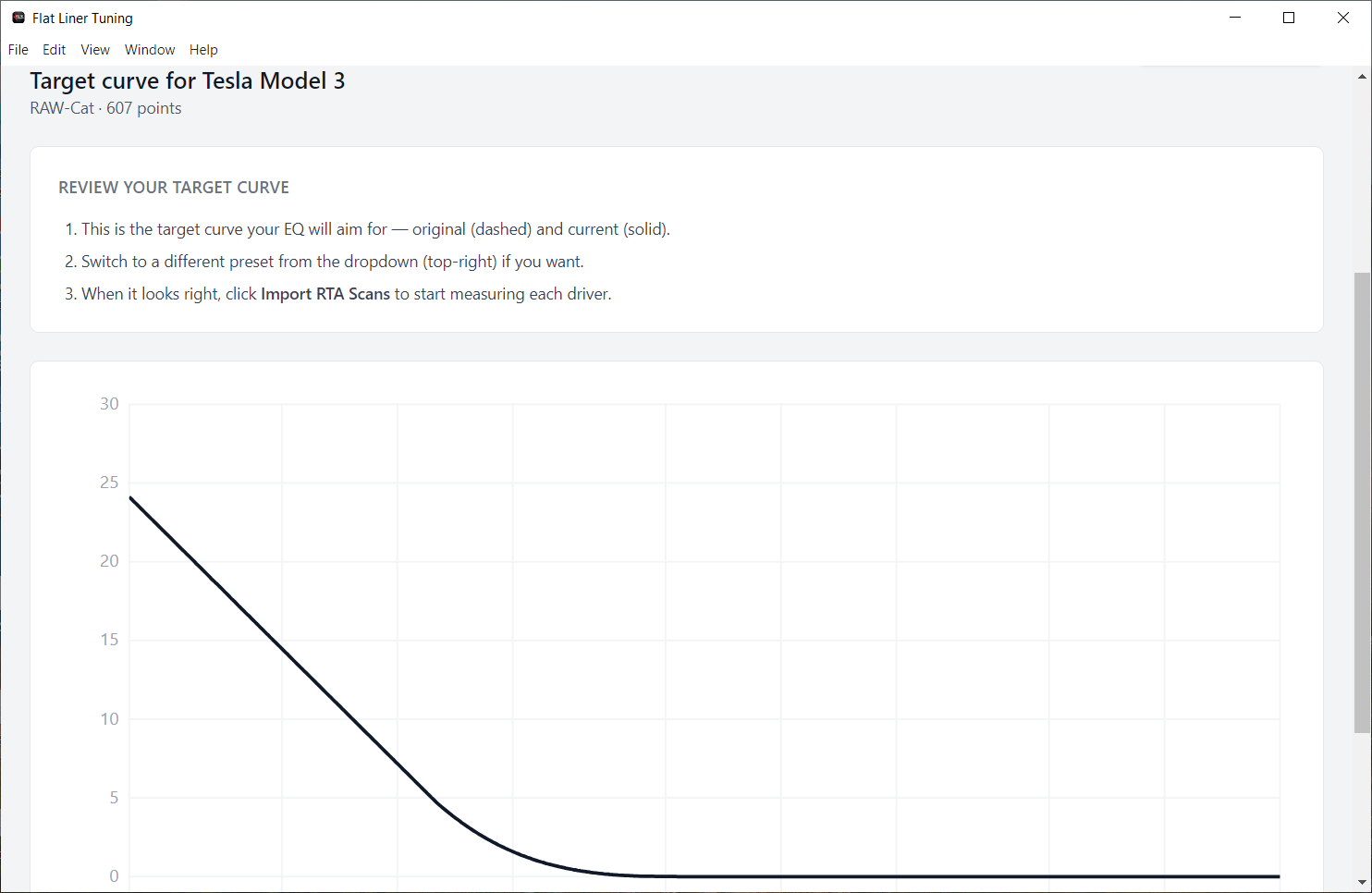
Target curve review screen showing the target response graph
Review the target curve your EQ will aim for.
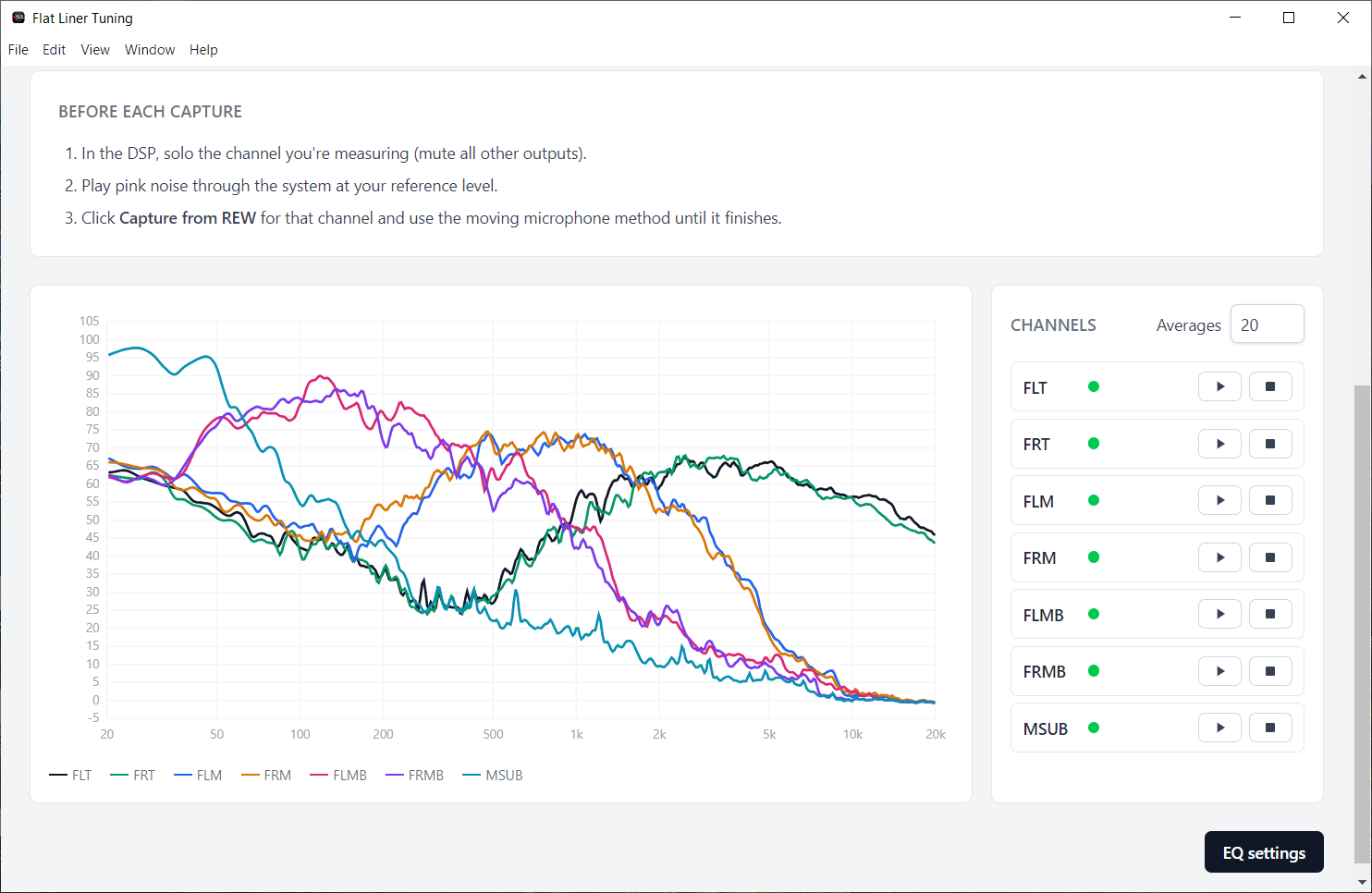
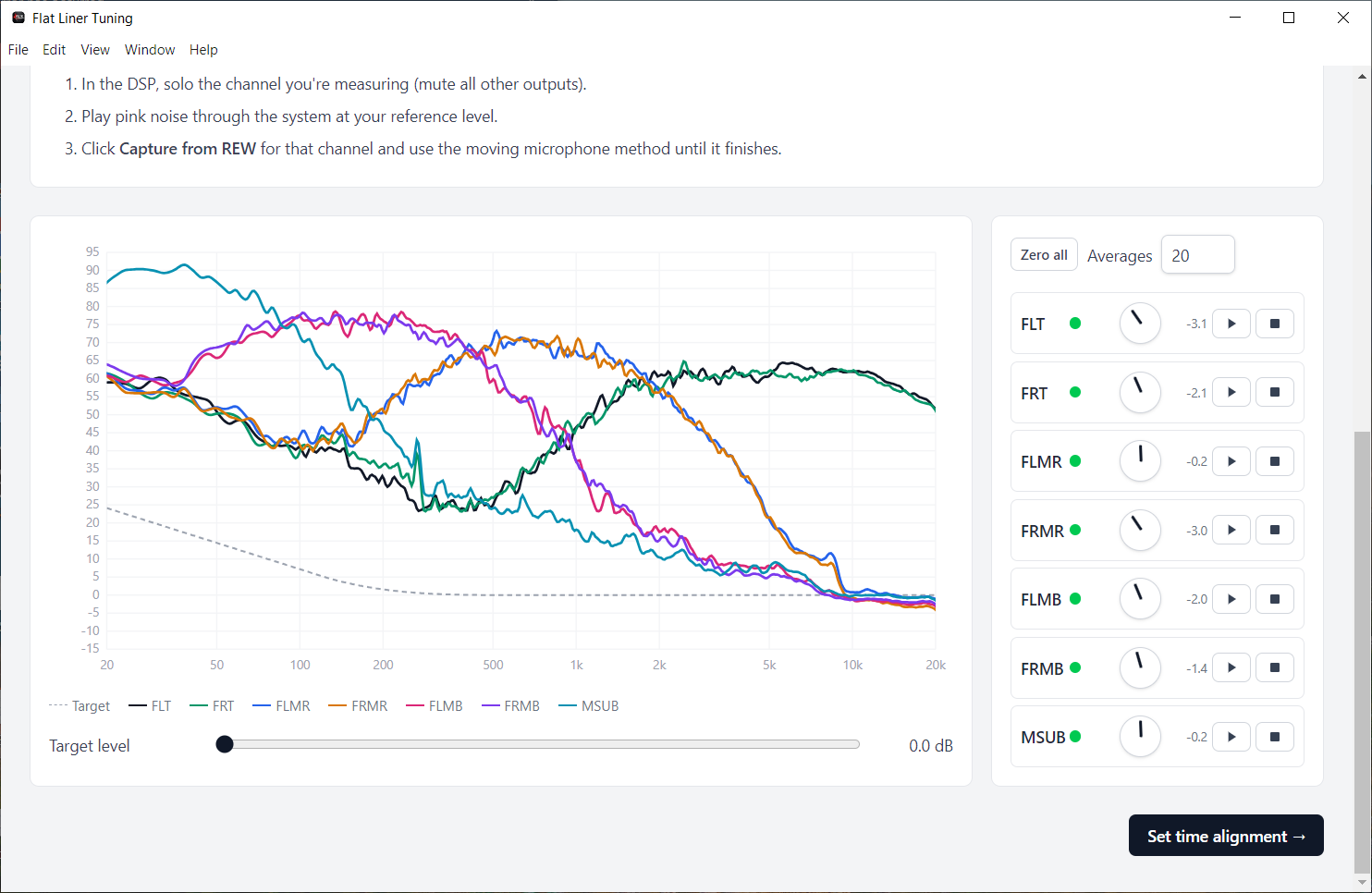
Per channel RTA measurement capture from REW
Capture each channel from REW with a moving mic RTA measurement.
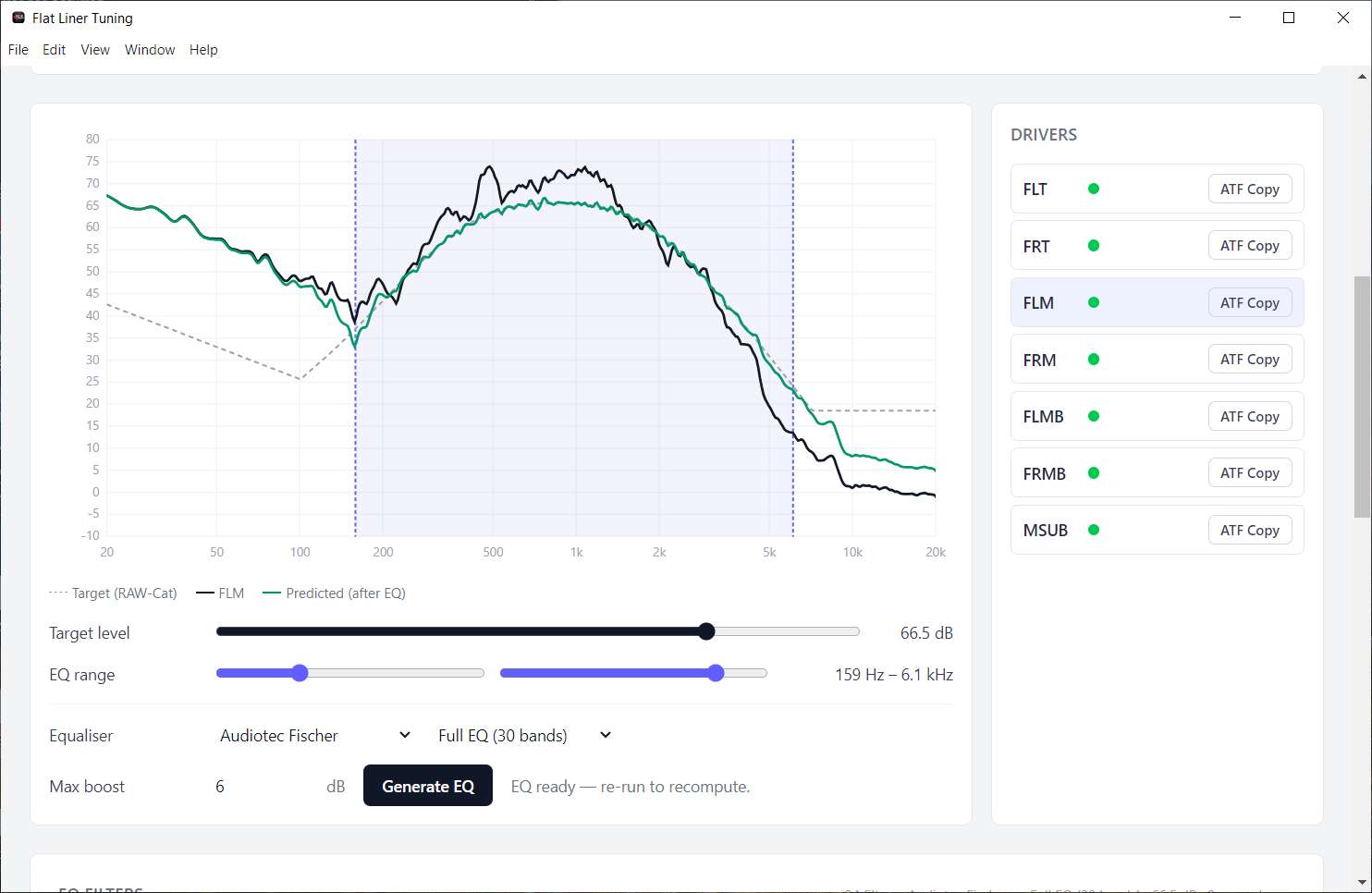
EQ generation screen with measured, target, and predicted after EQ curves
Generate EQ to the target and copy filters straight to the DSP.
Level matching screen balancing output across channels
Match levels across every channel.
Time alignment screen with per driver distances and computed delays
Enter each speaker's distance. Per channel delays are calculated for you.

Sample output

See a full tuning report.

Every tune finishes with a detailed report of your initial measurements, target curve, applied EQ, levels, and time alignment. Here is a complete example. Scroll through all pages below.

Open the full report (PDF)

Before you start

What you'll need.

  • A Windows PC or a Mac. See the minimum system requirements below.
  • Room EQ Wizard (REW) installed on the same machine, with its API enabled (REW → Preferences → API).
  • A measurement microphone and its calibration file (if available).
  • A DSP (Helix DSP supported for EQ loading, more being added).

System requirements

Minimum system requirements.

Flat Liner Tuning runs alongside REW, and REW does the heavy lifting: real time sweeps, FFT analysis, and live graphing. These minimums are set deliberately above the bare floor so measurements stay reliable on the machine you actually take to the car.

Windows

Operating system
Windows 10 64 bit (version 21H2 or newer) or Windows 11. 32 bit Windows is not supported.
Processor
Quad core Intel Core i5 (8th gen) or AMD Ryzen 5 / equivalent, 2.0 GHz or faster.
Memory
8 GB RAM minimum · 16 GB recommended (REW is memory hungry with long sweeps).
Storage
2 GB free for the app, REW, and saved measurements. An SSD is strongly recommended.
Display
1600 × 900 or larger · 1920 × 1080 recommended so the response graphs stay readable.

macOS

Operating system
macOS 12 Monterey or newer.
Processor
Apple silicon (M1 or newer), or a quad core Intel Core i5 from 2018 or later.
Memory
8 GB unified memory / RAM minimum · 16 GB recommended.
Storage
2 GB free for the app, REW, and saved measurements.
Display
1440 × 900 or larger · 1920 × 1080 recommended.

Required on all platforms

  • Room EQ Wizard (a current release), with the API enabled. REW needs a Java runtime. The standard REW installer includes one.
  • A free USB port for your measurement microphone or audio interface, plus any adapter your machine needs.
  • An internet connection for license activation and update checks. Tuning itself works offline.
  • Mains power during a tune. Keep the laptop plugged in and prevent it from sleeping. Power saving can throttle the CPU mid sweep and skew a measurement.

Below these specs the app will usually still launch, but sweeps take longer, graphs redraw slowly, and REW can run out of memory on long measurement sessions. Netbooks, Atom or Celeron class laptops, 4 GB machines, and mechanical hard drives are not recommended.

Pricing

Choose your license.

One time

Perpetual license

$39.99 one time · single seat
  • Full guided tuning workflow
  • Single seat license
  • One time purchase, yours to keep
Download

Get started

Ready to tune smarter?

Grab the installer for your platform and start tuning. Questions first? Reach out any time.

Available for Windows and macOS. See the installers
Flat Liner Tuning